
01Photography Workflows
Batch Photography Deliveries
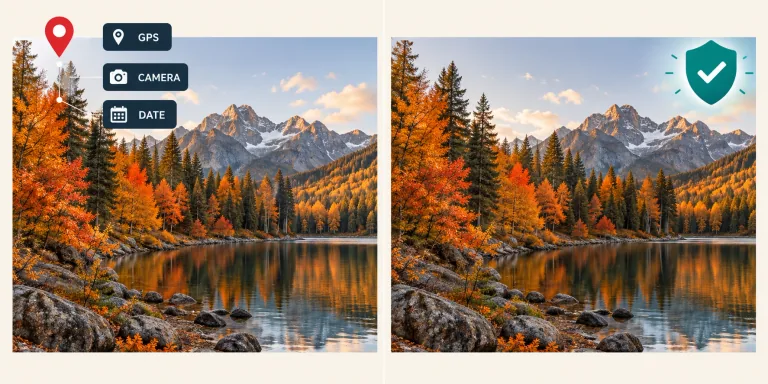
Photographers sharing client proofs can run deliverables through our batch exif remover to wipe GPS coordinates, shutter counts, and lens IDs.
Remove camera serials, timestamps, and GPS coordinates directly in your browser without uploading photos. Clean individual photos free without an account, or sign in with an active subscription for batch cleanup.

JPG, PNG or static WebP · Up to 50 photos · 30 MB each · 300 MB total
Your photos stay safe in this browserOur client-side exif remover purges camera hardware profiles, GPS coordinates, and AI generation parameters without altering pixel quality.
Latitude, longitude, and altitude from camera GPS. This client-side exif remover scrubs coordinates so your locations stay private.
Camera body, lens model, serial numbers, and MakerNotes. As an exif data remover, it clears hardware identifiers tied to your gear.
Exposure settings, shutter counts, and edit timestamps. The tool acts as an exif stripper that resets device records across your batch.
Cached preview thumbnails inside JPEG APP1 headers. Operating as an exif tag remover, it discards previews that might expose cropped content.
Pixel dimensions and rasters stay untouched. Our lossless exif remover edits headers without recompression.
Embedded sRGB, Display P3, and ICC profiles stay intact for accurate color rendition.
Standard orientation tags (0x0112) remain preserved so portrait photos display upright.
Files keep their original formats—JPG, PNG, or WebP—without forced conversion.
Check visible elements in the scene too. Street signs, house numbers, and reflections can reveal your location even after you delete exif data from your files.
Commercial shoots, AI art, and online listings often contain hidden device data. Our exif remover cleans copies for public sharing.
Photographers sharing client proofs can run deliverables through our batch exif remover to wipe GPS coordinates, shutter counts, and lens IDs.

Creators sharing artwork from Midjourney or Stable Diffusion use this exif remover to clear prompts, seeds, and workflow parameters before posting.

Sellers who need to remove exif online before publishing marketplace listings can strip home locations and device serials from product photos.
Cleaning a downloaded file leaves your original master photos on your device completely untouched.

Original pixel matrix, sharpness, and color gamut preserved without recompression.
Our dedicated exif remover directly edits container headers without recompressing pixels, preserving native clarity and sharpness across your batch.
Edits container tags without decoding pixels, preventing compression artifacts or quality loss.
When you remove exif from image files, we preserve orientation tags (0x0112) so portrait shots stay upright.
Clean up to 50 photos in one queue and download all sanitized files bundled in a tidy ZIP archive.
Follow these three simple steps to remove exif metadata without degrading visual sharpness or waiting for server queues.
Drop up to 50 JPG, PNG, or static WebP files into the workspace to inspect tags before you delete exif data. Each photo can be up to 30 MB, with a 300 MB total limit per batch.
Click clean to let the exif remover wipe location coordinates, camera models, and AI prompts.
Review the report, then download cleaned images individually or bundled in a ZIP archive to remove exif from image batches safely.
Explore quick answers regarding camera MakerNotes, batch processing, AI prompt stripping, and privacy boundaries.
While our general metadata tool covers single-photo document privacy, this specialized exif remover focuses on technical camera headers (MakerNotes, shutter actuations, lens serials) and batch processing up to 50 photos with ZIP exports.
Cameras and smartphones embed high-precision GPS coordinates, capture dates, and hardware serials inside photos. An exif data remover clears these tags before you share images online.
Yes. Our exif cleaner online processes files locally in your browser. Photos are never uploaded to remote servers. Single-photo cleanup is free without an account; subscribers can batch clean up to 50 photos.
Yes. When you remove ai exif data from Stable Diffusion or Midjourney images, our tool deletes prompt text, seeds, and workflow parameters from PNG chunks. Pixel-level watermarks (like SynthID) cannot be removed.
Our exif stripper retains standard EXIF orientation flags (0x0112) and ICC color profiles. This prevents portrait photos from displaying sideways and preserves accurate colors without keeping personal data.
Our batch exif remover lets you select up to 50 photos, with a 30 MB limit per photo and 300 MB total per batch. You can inspect and clean individual files for free, or batch clean with an active subscription. Photos are processed one at a time in your browser. Click Download all (ZIP) to package and download every successfully cleaned photo together.
This tool is built for raster images (JPG, PNG, WebP). If you need to remove exif from pdf files, note that PDFs require specialized PDF sanitizers or flattening to clear document metadata streams safely.
Our interface automatically re-reads the output file to confirm GPS and camera details are cleared. You can also re-check files with tools like ExifTool. As an exif tag remover, our tool wipes personal fields.
Select your photos to inspect camera tags, clear sensitive location records, and download clean files or a ZIP archive using our browser-based exif remover.
Choose a photo