
Online Remove Glare: Remove Glasses Glare from Photo
Clean distracting lens reflections on portraits with a dedicated photo glare remover. Clear reflection flare off your glasses, aim to preserve your natural eye color, and inspect preview results before saving.
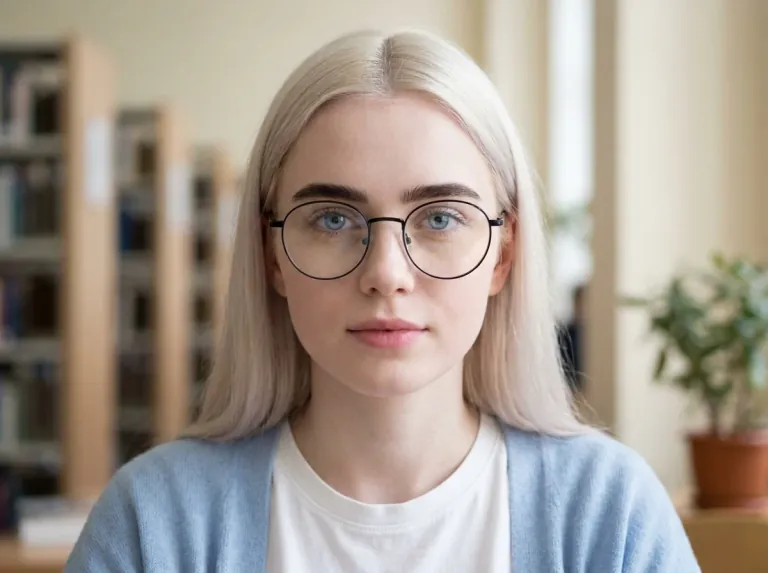
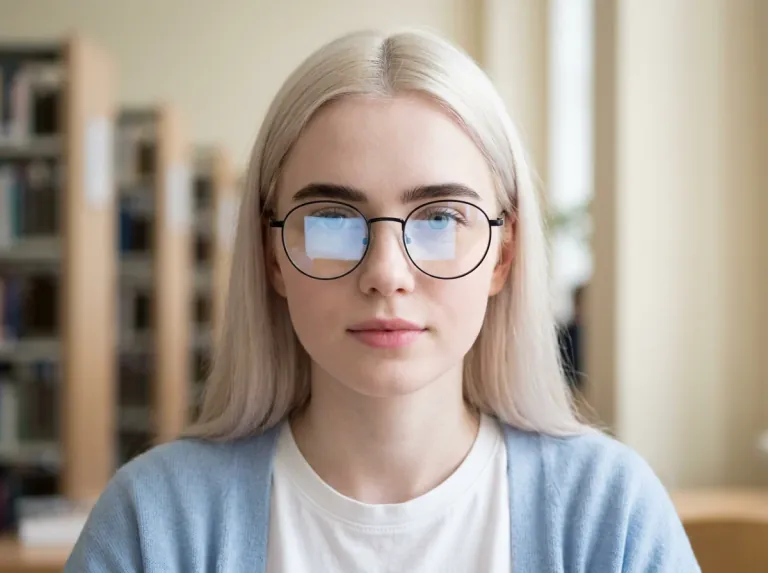 BeforeAfter
or drag and drop an image here
Supported: PNG, JPEG, JPG, WEBP (up to 30 MB)Need inspiration? Try one of these sample photos:
No Manual Masks
Choose a scene preset to remove glare from glasses without brushing layer masks, hunting for clean clone sources, or writing complex text prompts.
Four Scene Presets
Select from four targeted modes to remove glasses glare from photo files, soften shiny forehead highlights, dim flash spots, or ease outdoor sunlight flare.
Balanced Eye Details
Our ai remove glare from photo tool prompts the model to reduce reflections while aiming to preserve natural eye color, gaze, and expression. Check the generated details against your original photo.
Before & After Toggle
Switch between before and after views to remove glare from glasses in photo portraits with confidence, checking eye details, eyelid shapes, and frame rims before saving your image.
Real-World Scenarios to Remove Glare
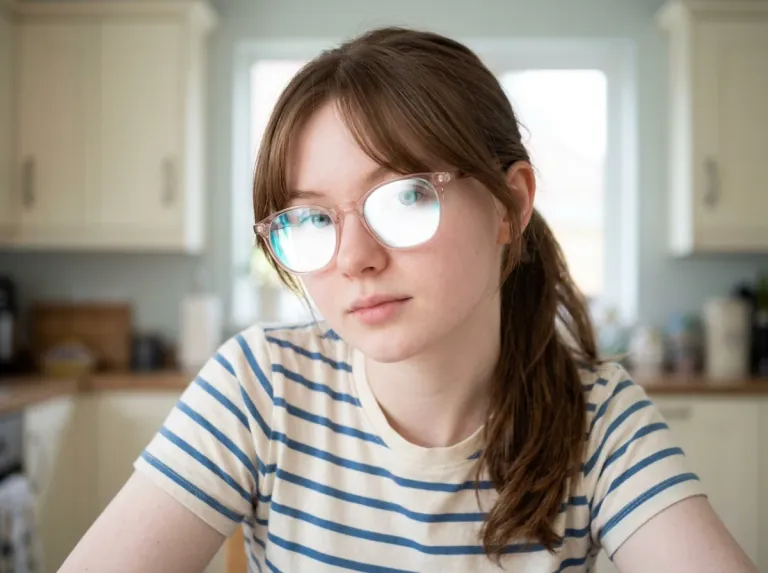
Slide across interactive sample demonstrations to see how our photo glare remover handles office fluorescent bounce, shiny hotspots, flash spots, and golden hour flare.

 BeforeAfter
How to Remove Glasses Glare from Photo Uploads
Fix reflections right in your browser. You do not need Photoshop skills, drawing tablets, or complicated manual retouching tools.
Clean Up Glasses Glare Without Plastic Skin
Generative editing uses prompt instructions to target reflections while aiming to keep your original facial structure and skin texture. Because generative changes may affect nearby pixels, always review your result against the original image.
Natural Iris Reconstruction
When reflections obscure the pupil, generative editing synthesizes plausible replacement details to remove glasses glare from photo portraits. Synthesized details do not recover unrecorded true pixels, so you should always compare eye gaze, pupil symmetry, and facial likeness.
Remove Glare
Ring Light & Phone Glare
Smartphone cameras often catch bright ring lights or indoor bulbs. When you remove glare from glasses iphone portraits, our preset instructs the AI to protect wire or acetate frames, but you should still inspect frame alignment and skin tones carefully.
Remove Glare
Balanced Facial Highlights
Direct flash can wash out cheeks and foreheads. Our ai remove glare from photo mode asks the model to soften blinding hot spots and balance skin sheen. Compare the result with your original to verify natural facial contours.
Remove Glare
Anti-Reflective Coating Tints
Eyeglass lenses often reflect strong green, blue, or purple anti-reflective coatings. This photo glare remover instructs the model to subdue colored lens bounce while aiming to preserve natural eye and skin tones. Check iris colors after processing.
Remove Glare
AI Glare Removal vs Manual Retouching
See how automated AI cleanup compares to manual editing with clone stamps, layer masks, and frequency separation in Photoshop.
AI Glare Removal
- Upload your portrait directly in your browser without desktop software
- Select Glasses Glare mode to remove glare from glasses in photo files
- No clone stamps, healing brushes, or layer masks needed
- Aims to preserve facial likeness and eye shape, with before-and-after switching to inspect changes
- Toggle between the original photo and the processed result directly before saving
- New users receive free trial credits to test generations without upfront commitments
Manual Retouching
- Requires expensive photo editing software and desktop computer power
- Must zoom in to trace reflections around delicate eyeglass frame edges
- Needs multiple adjustment layers, clone stamps, and frequency separation
- High risk of smudged eyelids, mismatched pupils, or blurred skin texture
- Takes 20 to 40 minutes per portrait to blend brush strokes convincingly
- Requires advanced retouching experience to rebuild obscured eyes
Great for Everyday Portraits and Professional Shots
Unwanted eyeglass reflections happen everywhere from office video calls to family gatherings. Use targeted cleanup modes to save photos you cannot retake.
LinkedIn & Work Headshots
Office lights and dual monitors frequently bounce off lenses. Remove glasses glare from photo headshots so colleagues and clients see clear eye contact. Inspect your gaze and frame edges before publishing.
Casual iPhone Selfies
Indoor dining lights and night flash often reflect in glasses. Clean up and remove glare from glasses iphone pictures before sharing them on Instagram, messaging apps, or group chats. Review the result before posting.
Family & Wedding Memories
Wedding receptions and family parties rarely have controlled studio lighting. Use our photo glare remover to salvage priceless group pictures without asking everyone to pose again.
Zoom & Webinar Photos
Ring lights used during video calls leave bright circles on glasses. Use our ai remove glare from photo tool to create clean speaker bios, virtual headshots, and slide deck portraits.
Eyewear Brand Lookbooks
Studio strobes can bounce across prescription lenses and sunglass frames. Remove glasses glare from photo lookbooks so buyers can appreciate the frame design. Check frame geometry and iris details to ensure likeness is preserved.
Free to Explore. Credits to Process.
Explore interactive examples and test presets freely. To remove glasses glare from photo online free, new users receive free trial credits upon registration. Credit estimates show clearly in the workspace before every generation.
Frequently Asked Questions About Glare Removal
Explore details on credit usage, iris reconstruction fidelity, mobile picture compatibility, and technical processing boundaries.
To remove glasses glare from photo portraits, upload your image and choose the Glasses Glare preset. The preset sends instructions to the generative model to reduce lens reflections while aiming to preserve your eye color, frame shape, and expression. Because generative editing can alter nearby details, use the before-and-after toggle to check that your eyes and frames look natural before saving your file.
Yes. New users receive free trial credits upon signing up, so you can test the photo glare remover on your own pictures without entering credit card details. You can also explore all sample presets freely. If any generation fails, used credits return to your account balance automatically.
To remove glare from glasses iphone photos, save your picture as a JPG or PNG and drop it into our browser workspace. iPhone cameras often pick up bright ring lights or indoor lamps. The Glasses Glare preset targets these reflections, aiming to restore eye visibility while you inspect eyelashes and frame edges.
Manual editing in Photoshop requires cloning clean skin and tedious brushwork. Our ai remove glare from photo workflow simplifies this by generating plausible eye and skin details automatically. However, AI-generated pixels are synthetic interpretations rather than recovered optical facts, so you should always inspect the output against your original.
Yes. The preset can remove glare from glasses in photo files with green, blue, or purple anti-reflective coatings. It asks the model to reduce harsh color casts while aiming to preserve authentic eye color. Always inspect iris tone and skin around the nose bridge afterward, as generative models may adjust surrounding hues.
The preset instructs the AI to keep your facial identity, eye shape, skin tone, and eyeglass frames unchanged while targeting reflections. However, because current generative models process instructions across the image rather than through strict pixel masks, adjustments cannot guarantee that surrounding areas remain untouched. The tool aims to preserve your original appearance as much as possible, but you must always check the output at 100% zoom to verify frame geometry, gaze, and likeness.
No algorithm can recover original details that a camera sensor never recorded. When a flash or reflection is completely opaque, our AI synthesizes a plausible replacement matching your facial structure and opposite eye. It is crucial to understand that generating plausible replacement details is not the same as recovering true, recorded pixels. When you remove glasses glare from photo portraits with heavy obstruction, always check gaze symmetry, toggle between your original and the result, and keep your original photo as the true reference.
You can upload JPG, JPEG, PNG, and WebP images up to 30 MB. To remove glasses glare from photo files with clean results, upload the original uncompressed picture from your phone or camera. Your generated pictures remain stored in your account history for easy download.


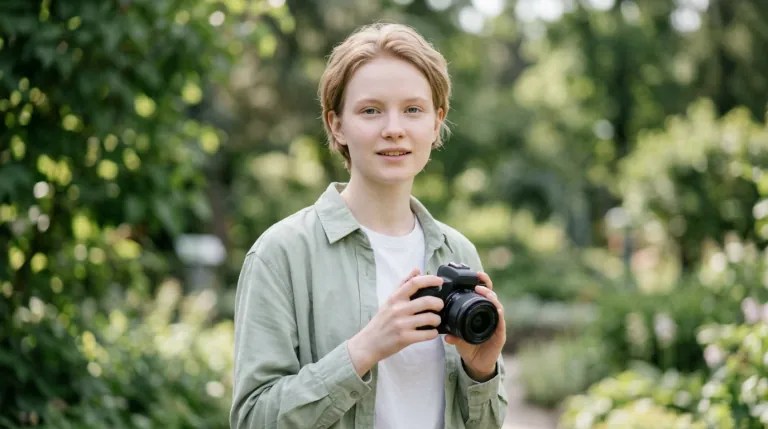
Remove Glasses Glare from Photo Uploads Today
Do not let bright lens reflections hide your eyes. Upload your picture to our photo glare remover, test the results with free trial credits, and inspect the preview to ensure your natural likeness is preserved.
Remove Glare
 BeforeAfter