

Remove Logo from Photo Online with AI

Use our AI logo remover to remove logo from photo assets without degrading product quality. Cleanly remove logo from image files, promotional banners, and supplier catalogs to create distraction-free commercial listings. Our deep-learning neural network seamlessly inpaints backgrounds while keeping essential packaging branding, delicate textures, and realistic surface shadows intact.

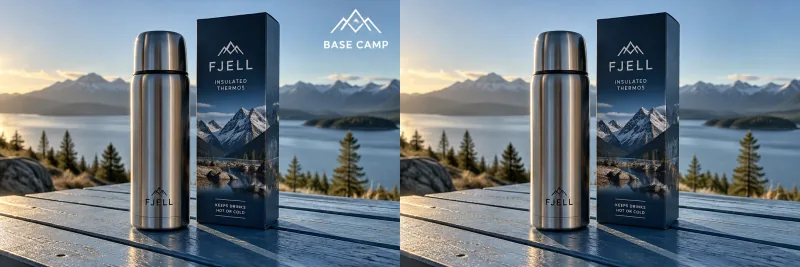
Promotional Text Marks — AfterPromotional Text Marks — BeforeBeforeAfter

or drag and drop an image here

Supported: PNG, JPEG, JPG, WEBP (up to 30 MB)
Need inspiration? Try one of these sample photos:
Ecommerce Advantages

A Smarter AI Logo Remover for Products

When you remove logo from image assets, manual cloning often blurs background pixels and damages clean edges. Ediroo helps you remove logo from photo uploads with precision, ensuring original materials and ambient lighting remain completely cohesive across the entire composition.

Product Detail Preservation

Online retailers frequently need to remove logo from photo overlays without damaging authentic manufacturer badges or embossed logos printed directly on merchandise. Our model separates unwanted secondary stamps from foundational product graphics, allowing you to remove logo from photo files while leaving primary labels, metallic sheens, and intricate brand engravings sharp and undamaged.

Background Texture Inpainting

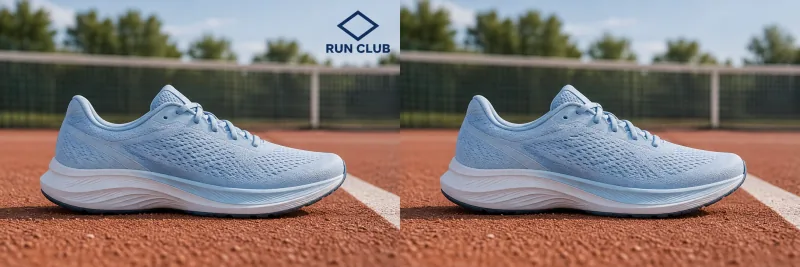
Erasing a badge with traditional clone stamps leaves visible seams and patchy smudges across detailed surfaces. Ediroo uses contextual neural inpainting to remove logo from photo backgrounds naturally. The AI analyzes adjoining grain patterns—such as marble countertops, woven textiles, and brushed metals—to reconstruct the underlying area seamlessly when you remove logo from picture files.

High-Contrast Edge Blending

Distracting corner badges frequently overlap crisp boundaries between bright objects and darker backdrops. Our algorithm enables you to remove logo from photo scenes with pixel-level boundary sensitivity. It intelligently separates foreground silhouettes from background gradients, preventing color bleeding and halo artifacts whenever you remove logo from image layers.

Flexible Selection Modes

Every editing job requires a tailored approach. You can remove logo from photo assets automatically with one click, use an intuitive brush tool to isolate intricate emblem contours, or type descriptive natural-language prompts. This versatile workflow ensures you can remove logo from photo compositions regardless of mark positioning, size, or opacity.

Precision Engineering

How to Remove Logo from Image Files

Our specialized logo remover empowers catalog managers, marketing agencies, and independent creators to remove logo from photo mockups, wholesale catalog previews, and digital marketing banners without resorting to steep learning curves or expensive desktop software suites.

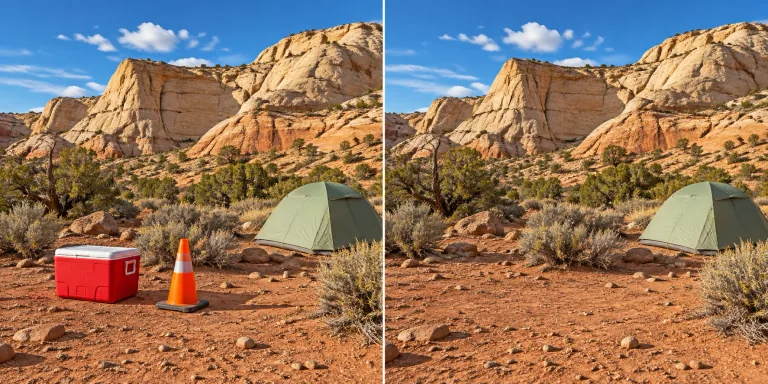
Original Mark Inspection — AfterOriginal Mark Inspection — BeforeBeforeAfter
01

Original Mark Inspection

Before processing, evaluate the exact boundaries of added stamps, social handles, and distributor watermarks. Checking source positions ensures you remove logo from photo sections accurately without disturbing nearby model features, critical packaging barcodes, or relevant regulatory icons required for consumer compliance.

Clean Your Image
Clean Inpainted Preview — Before
Before
Clean Inpainted Preview — After
After
02

Clean Inpainted Preview

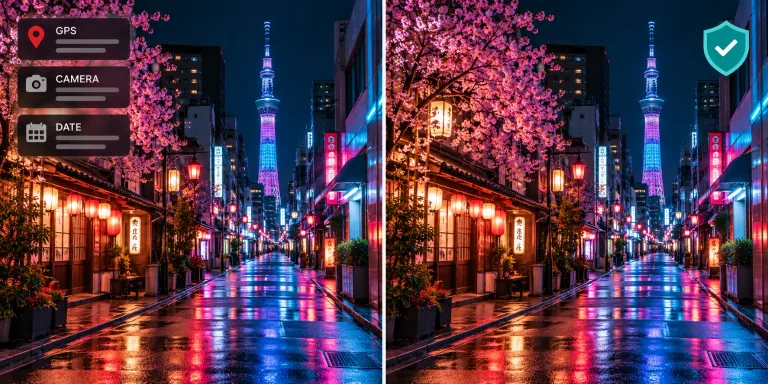
Inspect the reconstructed surface immediately after processing completes. Our advanced inpainting engine allows you to remove logo from picture mockups while preserving continuous color gradations, eliminating the telltale pixelation or blurry patches commonly produced by outdated graphic filters.

Clean Your Image
Shadow Consistency Check — AfterShadow Consistency Check — BeforeBeforeAfter
03

Shadow Consistency Check

Studio product photography relies on authentic directional light and realistic cast shadows to establish visual depth. When you remove logo from image elements positioned near tabletop surfaces, our AI maintains contact shadows and subtle ambient gradients, keeping your final catalog presentation believable.

Clean Your Image
Side-by-Side Comparison — Before
Before
Side-by-Side Comparison — After
After
04

Side-by-Side Comparison

Use the interactive split-screen slider to evaluate before-and-after renditions at full clarity. Moving the divider enables you to inspect fine micro-textures, verify edge sharpness, and confirm overall visual balance before you remove logo from photo collections for official store publication.

Clean Your Image
Frequently Answered

Questions on Logo Removal

Learn more about neural inpainting capabilities, credit consumption, commercial licensing boundaries, and technical image recommendations.

Ediroo utilizes deep neural inpainting models engineered for contextual image synthesis. Rather than blurring surrounding pixels or utilizing basic clone stamping, the system evaluates the entire image structure, lighting vectors, and material textures. When you remove logo from photo compositions, the AI generates contextually accurate replacement pixels that blend seamlessly into the original background, producing a clean, natural result suitable for commercial publication.

Yes. Sellers frequently need to erase distributor watermarks or vendor stamps without touching the actual brand badge printed on merchandise. By using our brush selector or entering prompt instructions, you can isolate the external overlay specifically. This targeted capability ensures you can remove logo from photo layers while maintaining full integrity for authentic packaging labels, hardware logos, and fabric tags.

Our AI logo remover performs exceptionally well across diverse visual substrates, including wood grain, woven fabrics, leather textures, frosted glass, and outdoor landscapes when you remove logo from photo uploads. However, users should understand that AI inpainting synthesizes plausible matching textures based on adjacent visual cues; it does not scientifically recover historic data physically hidden beneath opaque graphics. We always recommend reviewing the interactive slider comparison.

New users receive free credits to try the tool. Sign in to check your balance and the cost shown before submitting an edit. Credit costs depend on the selected model. Failed generations refund their credits automatically, and downloading completed results costs no additional credits.

The platform accepts JPG, JPEG, PNG, and WebP raster image formats with individual file sizes up to 30 MB. This generous capacity accommodates high-resolution product photography captured on professional cameras. Output resolution corresponds to your selected AI processing model (typically configured for crisp 1K or 2K dimensions), ensuring your marketplace listings remain sharp on desktop and mobile displays alike.

Using our service to remove logo from photo assets is a technical editing capability that does not confer copyright or trademark ownership of the underlying imagery. Commercial usage rights depend entirely upon your authorized relationship with the original photo owner, licensing agreements, and intellectual property compliance in your jurisdiction. Never remove official trademark symbols to misrepresent counterfeit or unauthorized goods.

All submitted editing tasks and finished image outputs remain safely accessible in your private My Creations dashboard. Unlike services that enforce rigid 24-hour expiration windows, Ediroo retains your project history indefinitely so you can revisit, inspect, and re-download your catalog images whenever needed. Uploaded files are utilized strictly to fulfill your requested transformations.

While our advanced neural architecture delivers remarkable photorealistic results across the vast majority of consumer images, perfection depends heavily on source resolution, lighting contrast, and mark placement. When you remove logo from photo files covering complex human facial features or intricate typography, closer manual evaluation is required than on a plain background. We encourage inspecting each preview thoroughly before deploying assets to active marketing campaigns.

Ready to Remove Logo from Photo Assets?

Start with free credits to try removing unwanted logo overlays from your product photos. Review the result before downloading it for your listing.

Remove Logo Now
Ready to Remove Logo from Photo Assets? — AfterReady to Remove Logo from Photo Assets? — BeforeBeforeAfter